// always on · 24 / 7 / 365

Never miss a call.
Never miss a client.

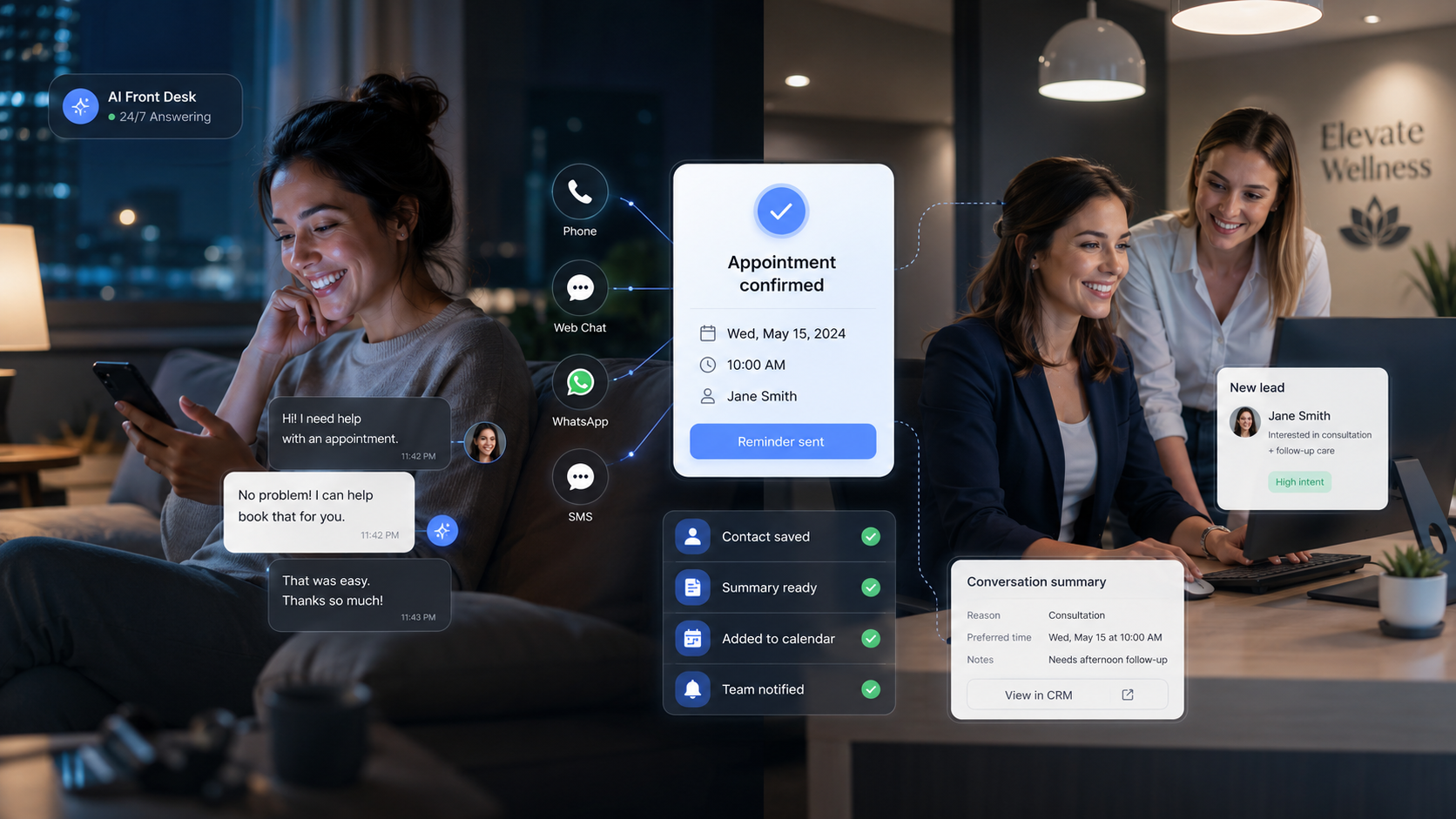
Your 24/7 AI front desk answers calls, chats, and messages, captures the right details, books appointments, and updates your CRM, even after hours.

24/7 coverageVoice + Chat + WhatsAppCalendar bookingHuman handoff

// built & operated by Agentic System Design

oncall · live consoleLIVE
Incoming call
+1 (415) 555-0142
2:14 AM
Hi, I need an appointment. Is anyone available tomorrow?
Of course. Can I get your name and the service you need?
Captured intake
NAME
Daniel Brooks
SERVICE
AC not cooling
LOCATION
Oakland, 94607
PREFERRED
Tomorrow AM
Calendar checked, opening tomorrow 9:30 AM
Appointment booked · Tue 9:30 AM
Confirmation SMS sent · Saved to CRM
Owner notified, new after-hours booking
// one front desk, every channel:Phone·Website chat·WhatsApp·SMS·Calendar·CRM
Photo: a customer giving up on a call
Missed call
2:14 AM · no answer
Dialed a competitor 4 minutes later

// the problem

Your best leads call when no one is available.

On another job. With a patient. Showing a property. Closed for the night. Voicemail is not a front desk, and the caller rarely waits.

7:42 PMMissed callNo answer
9:15 PMMissed callVoicemail
11:03 PMMissed callNo answer
2:14 AMCalled your competitor insteadLost

// most callers never try a second time

Missed calls

Phones ring out during jobs and peak hours.

Slow follow-up

By callback time, they booked elsewhere.

After-hours demand

Evenings and weekends hit voicemail.

Unstructured intake

Scribbled notes miss key details.

Manual scheduling

Back-and-forth drops bookings.

CRM data gaps

Leads never make it into the system.

// why speed wins

Speed of response decides who wins the booking.

Lead-response research shows contacting a new lead within five minutes, rather than thirty, sharply improves the odds of reaching and qualifying them. Gartner expects conversational and agentic AI to become core to customer service.

<1s
to answer, every time
24/7
nights and weekends
100%
of calls get a response
// missed revenue calculator

Estimate your monthly leakage

400
30%
$500
40%
Missed / mo
120
Recoverable
48
Estimated opportunity leakage
$24,000/ mo$288,000 / yr
Recover this with OnCall →

Illustrative estimate from your inputs. We do not invent revenue figures for your business.

// capabilities

One AI front desk. Every customer channel.

Every call, chat, and message ends the same way: the customer is helped, booked, and remembered, and your team gets a clean handoff.
+2k
★★★★★
Customers who finally got an answer
Photo: a happy customer, helped and booked
Appointment confirmed
Tue 9:30 AM · text sent
★★★★★“Booked in under a minute, at midnight.”
Answers phone calls 24/7
Website chat & widget conversations
WhatsApp & SMS intake
Captures details one question at a time
Qualifies intent & urgency
Books, reschedules, or cancels
Sends confirmations & reminders
Updates CRM & calendar
Summarizes every conversation
Escalates sensitive cases to a human
Notifies your team on SMS, Slack, Teams
Searchable record of every interaction

// channels

Meet customers where they already are.

Customers reach out their way. Your team stays happy because every conversation lands in one place, already organized.

Phone / Voice AI
Website chat
Embedded widget
WhatsApp
SMS
Email intake
Facebook / IG DM
coming soon
Google Business calls
coming soon
Photo: a happy customer and your team
PhoneChatWhatsAppSMS
WhatsApp
Hi! Are you open this Saturday?
Yes, we're open 9 to 4. Want me to book you in?
SMS
Perfect, 10am please.
Booked. I'll text a reminder Friday.
Sat 10:00 AM
Jamie, front desk
notified · will greet them Saturday
Booked

// industries

Built for appointment-driven, call-heavy businesses.

H1

Home Services

HVAC, plumbing, electrical, roofing, cleaning, pest control, appliance repair, locksmiths, handyman.

Emergency captureJob bookingQuote intakeAfter-hoursOwner alerts
H2

Medical & Dental

Doctors, dentists, clinics, physiotherapy, wellness.

Appointment requestsRemindersPatient intakeRouting

Appointment support only, not medical advice or diagnosis.

H3

Real Estate & Property

Agents, property managers, leasing offices, short-term rentals.

Showing requestsMaintenance intakeRental inquiriesLead capture
H4

Legal & Professional

Law firms, accountants, tax advisors, consultants.

New client intakeConsultation bookingMatter capture

Intake and scheduling only, not legal or financial advice.

H5

Beauty, Wellness & Fitness

Salons, spas, med spas, gyms, trainers, studios.

BookingReschedulingService FAQsPackages
H6

Automotive

Auto repair, detailing, tire shops, mobile mechanics.

Service bookingIssue captureEstimate requestPickup / drop-off
H7

Education & Training

Tutors, coaching centers, training providers.

Inquiry captureTrial bookingCourse FAQsFollow-up
H8

Finance & Insurance

Insurance agencies, mortgage brokers, advisors.

Lead captureConsultation bookingDocument checklist

Intake and scheduling only, no regulated advice.

// integrations

Connects with the tools you already use.

Calls, bookings, and customer details flow straight into the tools your team already lives in. No copy and paste, no missed updates.

G
Calendar
H
HubSpot
S
Salesforce
Z
Zapier
OnCall
#
Slack
A
Apollo
C
Calendly
O
Outlook
Google CalendarHubSpotApolloSalesforceCalendlySalesloftZapierOutreachSlackGoogle CalendarHubSpotApolloSalesforceCalendlySalesloftZapierOutreachSlack
Calendars
GGoogle CalendarOOutlookCCalendlyCCal.comAAcuity
CRM
HHubSpotZZohoSSalesforcePPipedriveGGoHighLevelAAirtableSSheets
Sales & GTM
AApolloOOutreachSSalesloftCClayIInstantlyGGong
Notifications
@EmailSSMS#SlackTMicrosoft TeamsWWhatsApp
Automation
ZZapierMMakeNn8n</>API webhooks
Knowledge
?FAQsPService pages$Pricing rulesSSOPsDUploaded documents

// how it works

From missed call to booked appointment.

Every inbound moment follows the same path, in minutes, automatically.

Missed call
2:14 AM
OnCall answers
captures & qualifies
Booked
confirmed & synced
1

Connect your channels

Your number, website, WhatsApp, or chat widget.

2

Train the AI

Services, hours, FAQs, pricing, and escalation rules.

3

Connect your stack

Calendar, CRM, and notification channels.

4

Test every path

Normal cases, edge cases, and handoff scenarios.

5

Go live with monitoring

Launch with logs, alerts, and fallbacks in place.

6

Improve over time

Refine scripts, prompts, and workflows.

// try it

Try the AI front desk yourself.

Pick a channel and hear how it answers, captures, and books in real time.

Website chat
Try a scenario
“I need an AC repair tomorrow”
“I want to book a dental cleaning”
“I need to schedule a property viewing”
“I need a consultation with a lawyer”
“I want to reschedule my appointment”
“I have a maintenance issue in my apartment”
live conversationAI handling
“I think I smell gas in my apartment. I’m a little scared.”
Sensitive + urgent, escalating
Sharing safety steps now, and bringing a person on right away.
Handed to a human
Photo: a caring teammate, Maria
Maria, on-call team
picked up in 30 seconds
Human in control
Hi, I’m Maria. You’re doing the right thing, please step outside and I’ll stay on the line with you.
Caller safe, summary logged

// trust & safety

AI where it helps. Humans where it matters.

The AI handles the routine and knows its limits. The moment something is urgent, sensitive, or unclear, a real person steps in.

Human escalation for urgent, sensitive, or uncertain cases
Emergency and safety scripts
Clear AI disclosure where required
Call transcripts and summaries
Audit trail and logs
Business-approved answers only
No medical, legal, or financial advice
Privacy-aware data handling
Fallback when an integration fails

// dashboard

Every call, chat, and booking in one view.

Outcomes, channels, and conversations roll up into one screen, so you can see what was answered, booked, and recovered at a glance.

oncall · dashboardSample data · last 30 days
Calls answered
1,284
Booked appointments
612
Missed calls recovered
209
Urgent escalations
18
Channel breakdown
Phone 46%Chat 24%WhatsApp 18%SMS 12%
Top service requests
AC / heating repair312
New appointment248
Reschedule164
Quote request121
Recent conversations
CRM synced
D. Brooks · PhoneBooked
M. Alvarez · WhatsAppBooked
J. Okafor · ChatEscalated
S. Patel · SMSLead saved

// Sample data: numbers are illustrative, not real results

// packages

Start with one channel. Scale when you are ready.

Starter
For a single channel and clean intake.
AI phone receptionist
Basic intake
Calendar booking
Email notifications
Book a setup call
Most popular
Growth
Multi-channel with full sync and analytics.
Voice + chat + WhatsApp
CRM sync
Reminders
Analytics dashboard
Book a setup call
Custom
For multi-location and regulated workflows.
Multi-location
Custom workflows
Industry integrations
Human review & advanced routing
Book a setup call

Every plan is configured around your workflow. Book a 20-minute setup call for pricing.

// faq

Questions, answered.

Is this a chatbot or a real voice receptionist?+

Both. It answers real phone calls with a natural voice and also handles chat and messaging, all feeding the same intake, calendar, and CRM.

Can it answer phone calls?+

Yes. It picks up in under a second, day or night, and never puts a caller on hold.

Can it book appointments into my calendar?+

Yes. It checks real-time availability and books, reschedules, or cancels directly in Google Calendar, Outlook, Calendly, and more.

Can it work after hours?+

That is the point. Nights, weekends, and holidays are when most calls go to voicemail. OnCall answers every one.

Can it connect to my CRM?+

Yes. HubSpot, Salesforce, Zoho, Pipedrive, GoHighLevel, Airtable, and Sheets, plus Zapier, Make, and webhooks for the rest.

Can it handle WhatsApp?+

Yes, along with SMS, website chat, and email. Add channels as you grow.

What happens if the AI is unsure?+

It follows your escalation rules: take a message, route to a human, or flag the case as urgent and notify your team right away.

Can I review calls and transcripts?+

Every interaction has a transcript, summary, and outcome in a searchable dashboard, with a full audit trail.

Does it replace my staff?+

No. It handles the repetitive front-desk work so your team focuses on the jobs and conversations that need a human.

Is it safe for medical, legal, or financial businesses?+

It handles intake and scheduling only, never regulated advice, with clear disclosures and human review for sensitive cases.

How long does setup take?+

Most businesses go live within days. We start with one channel and one workflow, then expand once it is proven.

Your front desk should not sleep before your customers do.

Start with one channel, one workflow, and one measurable outcome: fewer missed calls and more booked appointments.